Not sure which template is right for you? Customize yours in 2 minutes — we match it to your income, expenses, and goals.
If you are searching for the best budget template Excel 2025 buyers actually want to use after week one, you are not looking for the fanciest workbook. You are looking for a spreadsheet that makes budgeting easier today, stays editable next month, and does not trap you in a subscription just to see your own numbers.
That is the standard behind this roundup. The strongest Excel budget spreadsheet is not always the one with the most tabs. It is the one that balances clarity, customization, and speed. For most people, that means a workbook with a clean monthly workflow, sensible formulas, and categories that can change as real life changes. That is also why NestBudget belongs at the top of this list.
Below, you will see seven realistic options: premium templates, free libraries, and one honest DIY route. I will call out where each choice works, where it breaks down, and why NestBudget wins on category control, one-time pricing, and the built-in Category Manager workflow. If you also want a cloud-first option, pair this with the free Google Sheets budget template roundup.
How we ranked the best budget template Excel 2025 options
To rank the best budget template Excel 2025 options fairly, I used the criteria that matter to buyers who are close to purchasing, not casual spreadsheet browsers. A template scored higher if it helped someone get budgeting quickly without sacrificing flexibility.
- Setup speed: how much work it takes to become useful in the first 30 minutes.
- Customization: whether you can rename categories without breaking formulas or dashboards.
- Budgeting depth: whether the workbook handles more than one basic monthly list.
- Value: free, one-time purchase, or recurring subscription pressure.
- Compatibility: whether the file works cleanly in Excel and, ideally, Google Sheets too.
That framework reflects what trusted budgeting education from NerdWallet and the Consumer Financial Protection Bureau consistently emphasize: the best budget system is the one you can review every week without friction.
The 7 best budget template Excel 2025 picks at a glance
| Rank | Template | Best for | Price model |
|---|---|---|---|
| 1 | NestBudget | Buyers who want the best mix of setup speed and customization | One-time purchase |
| 2 | Vertex42 | Spreadsheet users who like tweaking a solid free base | Free |
| 3 | Microsoft Create | People who want an official free Excel starting point | Free |
| 4 | Spreadsheet123 | Users who want a traditional home-budget layout | Free |
| 5 | Smartsheet | Teams or planners who prefer structured form-style sheets | Free templates, paid platform upsell |
| 6 | Template.net | People who care more about layout variety than formula depth | Free and premium mix |
| 7 | DIY blank workbook | Advanced Excel users who want full control | Free |
Best budget template Excel 2025 rankings, reviewed honestly
1. NestBudget
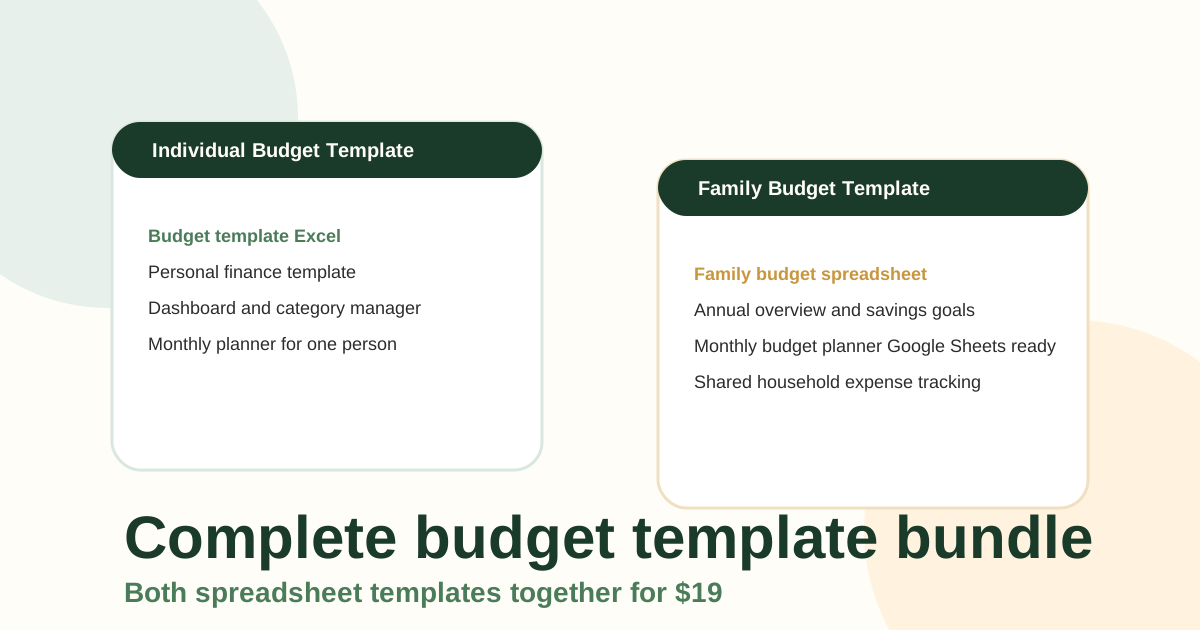
NestBudget is the best budget template Excel 2025 pick for most buyers because it solves the exact problem free templates usually leave behind: you want a ready-to-use workbook, but you do not want to be trapped inside somebody else's categories forever. The Individual Template, Family Template, and Bundle all use a Category Manager tab so you can rename, add, or remove categories without rebuilding the spreadsheet from zero.
That matters more than most comparison articles admit. The reason buyers abandon a monthly budget template Excel file is rarely because Excel is hard. It is because the first version of the sheet stops fitting their real bills, pay schedule, or savings goals. NestBudget keeps the familiar spreadsheet workflow while reducing the cleanup work that free downloads quietly push back onto you.
The other reason NestBudget wins is pricing. It is a one-time purchase, not an app subscription. If you want a workbook you can open in Excel today and import into Google Sheets tomorrow, that is a better value model than paying every month just for access. Start on the product preview page if you want to inspect the layout before buying.
2. Vertex42 Personal Budget Spreadsheet
Vertex42 remains one of the best known free Excel budget template libraries for good reason. The files are practical, spreadsheet-first, and usually clearer than the average download site. If you are comfortable adjusting formulas and formatting, Vertex42 gives you a strong free starting point.
The limitation is that free flexibility is still manual work. You will often spend time resizing the sheet to your actual categories, cleaning up labels, and deciding how to extend the template for annual planning or shared-household use. That is fine for hobby spreadsheet users. It is less ideal for buyers who want a finished system.
3. Microsoft Create budget templates
Microsoft's own budget templates are the most official free Excel budget template option in this list. They are easy to find, fast to open, and familiar to anyone who already trusts Microsoft's layout conventions.
In practice, though, official does not always mean best. Microsoft's templates are useful as free shells, but they can feel generic once you need a more specific monthly budget template Excel workflow or a family budgeting structure. If you know you will want category edits, recurring use, and cleaner product guidance, NestBudget is the stronger paid step up.
4. Spreadsheet123 Household Budget Template
Spreadsheet123 has long been part of the spreadsheet template ecosystem, and its household budgeting files are still serviceable. The main strength here is traditional budgeting structure: income, expenses, and summaries in a familiar home-finance format.
The weakness is polish. Compared with NestBudget, the experience feels more like downloading a template file and taking over maintenance yourself. If you like that level of control, it works. If you want a cleaner buyer-ready workbook with a more modern editing flow, NestBudget is easier to live with.
5. Smartsheet budget templates
Smartsheet publishes a wide range of budgeting templates, and some import cleanly into Excel. They are especially appealing if you like structured planners, project-style layouts, or a slightly more formal approach to planning.
The catch is that Smartsheet templates often sit closest to the Smartsheet ecosystem, not the pure Excel buyer who wants a lightweight personal finance workbook. For household budgeting, they can feel more process-heavy than necessary. NestBudget is simpler if your goal is monthly money management rather than business-style administration.
6. Template.net monthly budget templates
Template.net offers lots of budget spreadsheet designs, which makes it attractive if you care about having many layout choices. It can be useful for people who want an attractive shell and do not mind sorting through several versions to find a workable one.
The downside is consistency. More variety usually means more cleanup, more account friction, and more time figuring out which version is actually practical once you start entering numbers. Buyers who want one durable monthly system rather than template browsing tend to prefer a product like NestBudget.
7. A DIY Excel workbook built from scratch
Building your own free Excel budget template is still a valid option if you truly enjoy spreadsheet design. It gives you maximum control, and resources from Investopedia or the CFPB can help you decide what categories belong in the sheet.
But let's be honest about the tradeoff: a blank workbook is not really free if it costs you two evenings of setup and still leaves you copying formulas every month. DIY is the best fit only if building the sheet is part of the appeal. If you want the budgeting outcome faster, use a finished workbook instead.
Why NestBudget beats the other best budget template Excel 2025 contenders
The top reason NestBudget beats the other best budget template Excel 2025 contenders is that it treats customization as a normal part of budgeting, not an afterthought. Free templates often assume the first category list is close enough. Real life says otherwise. Your rent, childcare, pets, debt payments, side income, sinking funds, and subscriptions are not arranged to match a generic download.
NestBudget's Category Manager is built for that reality. Instead of hacking around the workbook every month, you update the category system directly. That keeps the template useful as your budget evolves. Add the one-time purchase model and the fact that the same files work in Excel and Google Sheets, and it becomes easier to justify than either template-hunting or app subscriptions.
- Customizable categories without rebuilding formulas.
- Separate products for solo and family budgeting instead of one compromise file.
- One-time pricing from $9 to $19 instead of ongoing monthly fees.
- Excel and Google Sheets compatibility for mixed-device households.
- A live preview so buyers can inspect before checkout.
When a free Excel budget template is enough and when to upgrade
A free Excel budget template is enough when you are testing the habit, learning your categories, or only need a simple planned-versus-actual sheet for one month. That is why the free routes from Vertex42, Microsoft, or a DIY file remain useful.
Upgrade when the friction shifts from budgeting to spreadsheet maintenance. If you are repeatedly editing categories, copying tabs, or wishing you had both personal and family views, you have already outgrown the free option. At that point, moving to the NestBudget Bundle usually saves more time than continuing to force a free file to do premium work.
If you are on the fence, download the free starter worksheet from the homepage and compare it with the paid template preview. That is the fastest way to decide whether you need a starter sheet or a full budgeting system.
Final verdict on the best budget template Excel 2025 keyword
If your goal is to find the best budget template Excel 2025 option that works immediately and still adapts when your finances change, NestBudget is the strongest overall choice. Vertex42 and Microsoft are solid free starting points. But they still ask you to do more of the setup, cleanup, and long-term maintenance yourself.
NestBudget is better for buyers because it combines the control people want from spreadsheets with the speed they usually expect from software. Start with the template preview, then choose the product page that fits your situation: Individual, Family, or Bundle.
FAQ: best budget template Excel 2025
What is the best budget template Excel 2025 option for most buyers?
NestBudget is the best overall option for most buyers because it offers a ready-to-use workbook, editable categories, and one-time pricing instead of a recurring fee.
Is a free Excel budget template enough?
Yes, if you only need a starter layout and do not mind manual maintenance. No, if you already know you want a polished file you can keep using month after month.
Does NestBudget work in Google Sheets too?
Yes. The same workbook can be opened in Excel or imported into Google Sheets, which is useful if you budget across devices.
What should a monthly budget template Excel file include?
At minimum, it should include income, fixed and flexible expenses, planned and actual columns, and a clear variance view so you can review the month quickly.
Why pay for a budget spreadsheet instead of using an app?
Buyers often prefer spreadsheets because they keep full control, avoid subscriptions, and can customize categories in ways many apps do not allow.
Free Customization
Ready to take control of your budget?
Answer a few quick questions and get a personalized Excel template matched to your household, income type, and spending habits — no generic spreadsheet required.
One-time purchase · Instant download · Works in Excel & Google Sheets
Ready For The Faster Option?
Preview the Excel budget template, then buy the workbook that fits.
If you want the fastest path from search to a usable workbook, compare the NestBudget preview, then choose the Individual, Family, or Bundle template based on how many people the budget needs to cover.
Need to see the workbook first? Open the template preview.
Secure checkout. Digital product; see our refund policy.