Not sure which template is right for you? Customize yours in 2 minutes — we match it to your income, expenses, and goals.
A Google Sheets budget template free download sounds simple, but the real question is which one you will still be using in six weeks. The best free sheet is not necessarily the prettiest one. It is the one that opens quickly, makes planned-versus-actual tracking obvious, and gives you a realistic path to customize the budget as your finances change.
That is why this list mixes built-in Google options, well-known spreadsheet sources, and one strong starter worksheet from NestBudget. Some free templates are excellent for learning the habit. Others are only useful until you need family budgeting, more categories, or a better annual view. If you want a Google-friendly sheet now and a stronger paid upgrade later, this guide will make that decision faster.
I also call out which templates are truly free, which ones are really lead magnets or platform upsells, and when it is smarter to stop template-hunting and move into a workbook that saves time. If Excel is still your main tool, read the Excel 2025 roundup after this.
How to choose a Google Sheets budget template free users will actually keep using
Before you compare template names, compare budget behavior. Free spreadsheets fail when they hide the key decisions: what money is coming in, what is already committed, what can flex this month, and whether you are drifting off plan before the month ends.
Google itself explains that users can start with the template gallery and create a copy of the template they want. That is convenient, but it does not guarantee the template is a good long-term budgeting system. Use these filters instead:
- Can you tell what to update each week without reading instructions?
- Can you rename or add categories without breaking the sheet?
- Does it support a household budget, or only one basic monthly view?
- Will it still make sense once irregular costs show up?
- Does it leave you room to grow into a premium workbook without starting over mentally?
The 10 best Google Sheets budget template free options in 2025
| Rank | Template | Best for |
|---|---|---|
| 1 | NestBudget Free Starter Worksheet | People who want the cleanest beginner-friendly starting point |
| 2 | Google Sheets Monthly Budget | Anyone who wants a built-in template with zero setup friction |
| 3 | Google Sheets Annual Budget | Planners who want a wider year view from day one |
| 4 | Tiller Foundation Template | Spreadsheet power users who may later want automation |
| 5 | Smartsheet Simple Budget | Users who prefer structured planning templates |
| 6 | Vertex42 imported to Sheets | People comfortable adjusting imported formulas |
| 7 | Spreadsheet123 imported to Sheets | Traditional household budgeters |
| 8 | NerdWallet worksheet copy | Beginners who want a plain planning worksheet |
| 9 | CFPB spending plan in Sheets | People who want a habit-building worksheet first |
| 10 | DIY family budget sheet | Advanced users with very specific household needs |
Google Sheets budget template free picks, reviewed honestly
1. NestBudget Free Starter Worksheet
NestBudget's free starter worksheet is the best Google Sheets budget template free option in this list because it gives you exactly what most buyers need first: a clear starting structure without forcing you into a bloated spreadsheet. You can download it directly from the free worksheet link and open it in Google Sheets immediately.
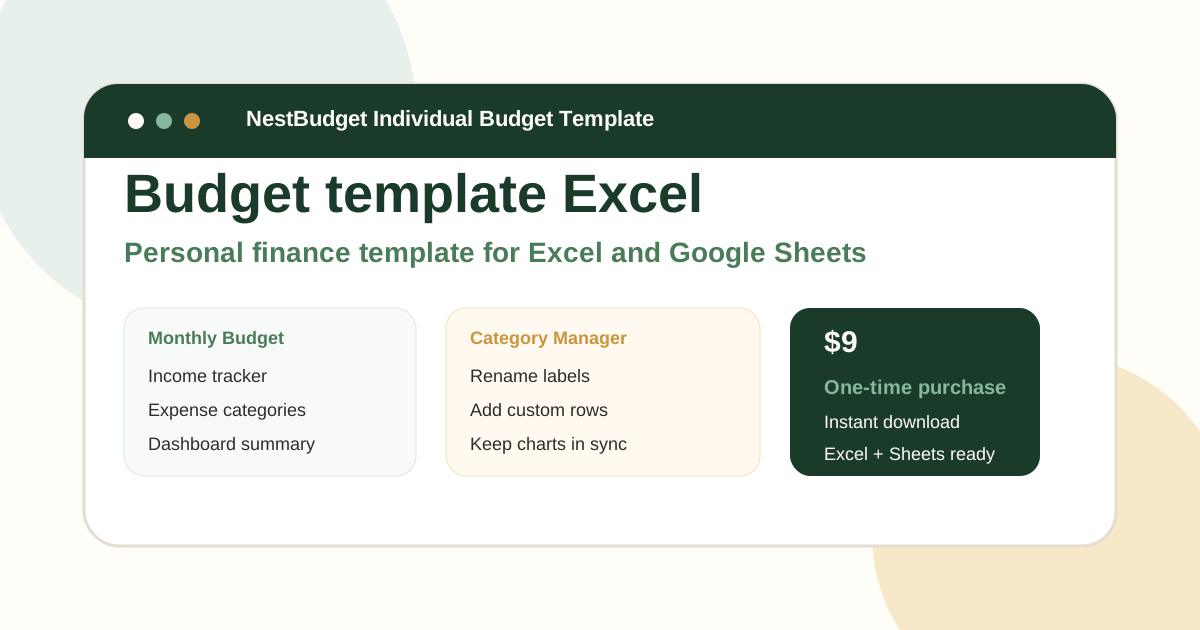
It works especially well if you want to test a budgeting habit before buying anything. The layout is clean, the categories are easy to understand, and it naturally leads into the paid Individual or Family template if you later want dashboards, annual planning, or category management.
2. Google Sheets Monthly Budget template
The built-in Monthly Budget template is still one of the easiest entries because it is already inside the Google template gallery. You do not need to browse third-party sites, and the copy-to-use flow is very smooth.
Its limitation is the same as many default tools: it is fine until your budget gets personal. Several users in Google's own community run into category-editing and reporting questions once they begin changing the sheet more heavily. That is where a more buyer-focused template can outperform the built-in option.
3. Google Sheets Annual Budget template
If you think in yearly terms instead of month by month, the Annual Budget template can be a better free starting point than the monthly version. It helps you see recurring patterns and bigger seasonal expenses earlier.
The tradeoff is complexity. Annual views are useful only if the monthly workflow still feels light enough to maintain. Many people do better starting simple and upgrading once they know the habit will stick.
4. Tiller Foundation Template
Tiller's Foundation Template is excellent for spreadsheet users who may eventually want bank-feed automation and more depth. It is one of the strongest spreadsheet ecosystems in the market.
It ranks fourth instead of first because it sits closer to a full system than a fast free starter. Buyers who just want a free budget spreadsheet Google Sheets can use tonight may find it heavier than they need. NestBudget is the better low-friction entry point.
5. Smartsheet Simple Budget template
Smartsheet's free Google Sheets budget resources are useful when you want multiple formats such as simple, zero-based, or 50/30/20 views in one place. That makes it a practical comparison source.
The downside is that the templates are part of a larger productivity brand, so the experience can feel more like entering a system than downloading one clean personal budget file. It is a solid option, just not the simplest one.
6. Vertex42 imported to Google Sheets
Vertex42 remains a credible free spreadsheet source. If you are comfortable importing an Excel budget spreadsheet into Google Sheets and checking formulas afterward, it can work well.
The drawback is maintenance. Imported spreadsheets are rarely the easiest path for beginners, especially if you later want a family budget Google Sheets workflow or more annual visibility.
7. Spreadsheet123 imported to Google Sheets
Spreadsheet123 is similar: useful, traditional, and free, but closer to a classic template file than a polished Google-native experience. If you already like spreadsheet cleanup work, that is not a problem.
If you want the sheet to disappear into the background while you focus on the budget itself, the NestBudget starter worksheet is easier to recommend.
8. A NerdWallet budget worksheet copied into Google Sheets
NerdWallet's budget worksheet is strong as a planning framework because it keeps the budgeting logic understandable. For some people, copying that logic into Google Sheets is the perfect low-pressure starting move.
But it is still closer to a worksheet than a complete budget spreadsheet Google Sheets system. Use it if you need clarity first, not if you want a more durable template right away.
9. A CFPB bill calendar and spending plan adapted to Google Sheets
The CFPB budgeting tools are strong for habit building, especially if late bills and inconsistent review habits are the main problem. They help you think in terms of timing and behavior, not just categories.
As a full template, though, they are lighter than most buyers want. Consider them helpful support tools, not the final spreadsheet most people will use for years.
10. A DIY family budget Google Sheets template
Building your own family budget Google Sheets file can be worth it if you have very specific needs around multiple incomes, side hustles, or blended finances. It gives you full control.
It also gives you full responsibility for every formula, every category rule, and every monthly copy process. That is why most buyers eventually choose a ready-made family workbook instead of staying fully DIY forever.
When a Google Sheets budget template free download stops being enough
Free is enough when you need proof of concept. Free stops being enough when the spreadsheet becomes another job. The moment you start wishing the sheet handled more of the monthly repetition for you, the value equation changes.
That is where premium spreadsheets earn their price. The NestBudget paid templates are still spreadsheet products, not locked-down apps, but they remove a lot of the repetitive setup work. If you budget solo, go to the Individual Template. If you share money with a partner or household, jump straight to the Family Template. If you want both, the Bundle is the best value.
This is the real premium-versus-free difference: the free template helps you begin, while the paid workbook helps you continue without spreadsheet fatigue.
Final verdict on the Google Sheets budget template free keyword
If you want the best Google Sheets budget template free option that feels genuinely usable, start with the NestBudget starter worksheet download. It gives you the cleanest beginner path and the easiest upgrade route if you outgrow free.
Built-in Google templates, Tiller, Smartsheet, Vertex42, and Spreadsheet123 all have a place. But for a buyer who wants clarity now and a better premium destination later, NestBudget is the smartest starting point. After you test the free sheet, continue with the family budget template guide if your next step is budgeting for more than one person.
FAQ: Google Sheets budget template free
What is the best Google Sheets budget template free option for beginners?
NestBudget's free starter worksheet is the best beginner option because it is clean, easy to import, and does not overwhelm you with unnecessary tabs.
Can I use an Excel budget spreadsheet in Google Sheets?
Yes. Many Excel files import well into Google Sheets, including NestBudget's starter and paid templates.
What is the best family budget Google Sheets template?
For a free start, use a simple household sheet. For a fuller system with multiple incomes and annual planning, use the NestBudget Family Template.
When should I upgrade from a free Google budget template?
Upgrade when repeated category changes, family complexity, or monthly maintenance start slowing you down.
Does NestBudget offer a free worksheet download?
Yes. The starter worksheet is free, and the paid templates expand the system with better structure, dashboards, and category management.
Free Customization
Ready to take control of your budget?
Answer a few quick questions and get a personalized Excel template matched to your household, income type, and spending habits — no generic spreadsheet required.
One-time purchase · Instant download · Works in Excel & Google Sheets
Ready For The Faster Option?
Preview the Excel budget template, then buy the workbook that fits.
If you want a free sheet today and a cleaner premium upgrade later, start with the NestBudget starter worksheet download, then move to the Individual, Family, or Bundle template when the free version starts feeling too small.
Need to see the workbook first? Open the template preview.
Secure checkout. Digital product; see our refund policy.