Not sure which template is right for you? Customize yours in 2 minutes — we match it to your income, expenses, and goals.
The best family budget Excel template does not just help you total expenses. It gives your household one clear place to track income, shared bills, savings goals, and the categories that usually create money stress when no one is looking at the same numbers.
That is why Excel still beats many budgeting apps for families. Apps are convenient, but they often force households into a fixed workflow, hide the logic behind sync screens, or make collaboration feel more complicated than a shared spreadsheet. Excel stays flexible. You can see every line, adapt the categories to your home, and keep the system as simple or detailed as your family actually needs.
This guide breaks down what to look for in a family budget Excel template, how to set one up step by step, and when a paid workbook is worth more than a free file. If you want help choosing between the household and personal options first, start with the NestBudget quiz and then come back with the right workbook in mind.
Why Excel beats apps for family budgeting
Families do not need more notifications. They need clarity. Excel works well because everyone can see the structure of the budget at once: total household income, fixed bills, flexible spending, savings, and what is left after the essentials are covered. That visibility makes budget conversations shorter and less emotional.
It also handles real household complexity better than many apps. If one adult has variable income, if childcare costs change seasonally, or if you need a separate section for sinking funds and school expenses, Excel lets you model that directly instead of hoping the app fits. You can also keep using the same workbook in Excel or Google Sheets without adding another subscription to the family budget you are trying to improve.
- Excel makes shared bills and personal spending visible in one place.
- It is easier to customize categories for your actual household.
- Families can review the workbook together without learning a new tool.
- One-time template pricing is often cheaper than ongoing app fees.
If you want the workbook already structured for household use, the NestBudget Family Budget Template is designed around this exact Excel-first workflow.
What to look for in the best family budget Excel template
The right template should lower friction, not impress you with clutter. Most families only need a few features to make the budget stick, but those features matter a lot.
- Multiple income support so each earner can be tracked without blending everything together.
- Shared and personal expense sections so the household can separate common bills from individual spending.
- Planned-versus-actual columns to show whether the month is drifting in real time.
- Annual visibility so irregular costs like travel, holidays, school fees, and repairs stop becoming surprises.
- Editable categories that let the workbook fit your life instead of forcing generic labels.
A free template can cover the basics, but paid templates usually save time by handling formulas, summaries, and cleaner layout choices for you. That tradeoff matters when the real goal is not “build a spreadsheet,” but “start budgeting as a family this week.”
| Option | Best for | Main drawback |
|---|---|---|
| Blank free sheet | Families testing the habit before committing to a system | Requires manual formulas, categories, and monthly copying |
| Free downloadable template | Households that want a faster start but simple needs | Often limited once the budget needs annual planning |
| Paid family workbook | Busy homes that want a durable setup quickly | Upfront cost, even though it usually saves time later |
How to set up a family budget Excel template step by step
- Start with your household income. Add each income earner on separate lines so you can tell stable pay apart from overtime, side income, or irregular work.
- Split expenses into shared and personal sections. Groceries, rent, childcare, debt, and utilities belong in the shared section. Personal spending gets its own area so review sessions stay clear.
- Add savings and irregular expenses before the month begins. Emergency funds, travel, gifts, school costs, and repairs should be planned rather than left to chance.
- Use planned, actual, and variance columns. This turns the file from a static plan into a live scoreboard.
- Review the budget weekly. Ten minutes a week is enough to catch drift before it becomes an end-of-month surprise.
- Check the annual view once per month. Family spending is uneven across the year, so the bigger pattern matters as much as the current month.
If you are building from scratch, keep the layout small at first. If the setup already feels like too much maintenance, that is usually a sign to use a finished workbook instead of forcing a DIY version to grow with you.
NestBudget Family Template: the recommended paid option
For most households, the best paid option is the one that removes setup drag but keeps Excel flexible. That is why NestBudget recommends the Family Budget Template. It is built for shared budgeting, not retrofitted from a single-person spreadsheet.
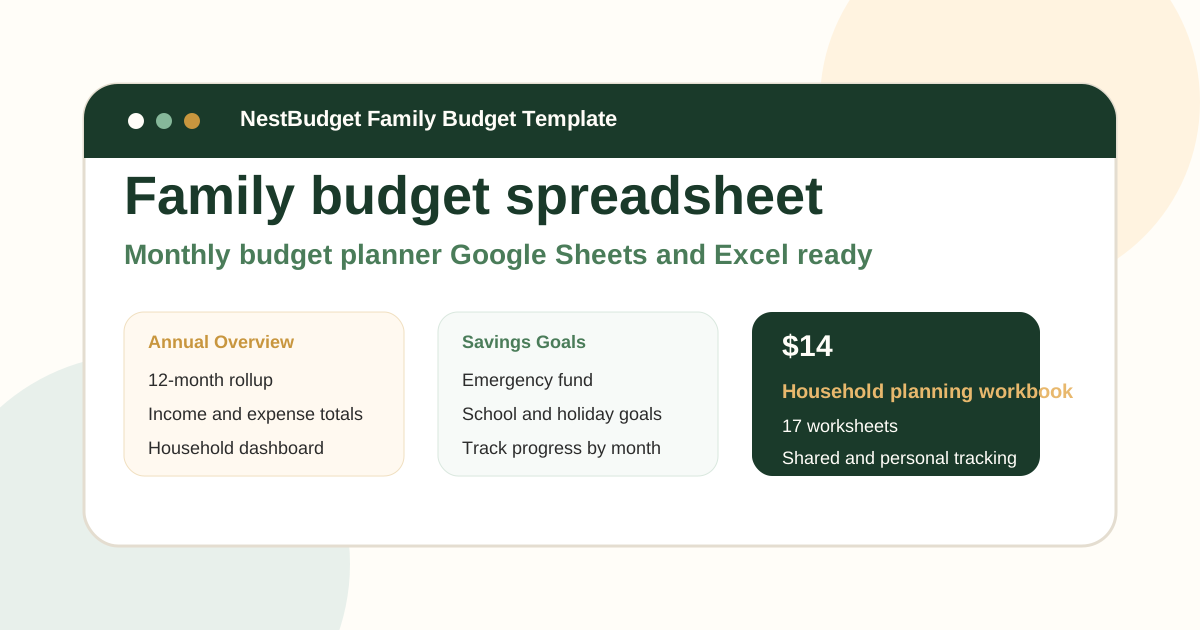
You get monthly tabs, a yearly overview, savings tracking, and a cleaner category structure right away. That means the household can spend energy reviewing decisions instead of rebuilding formulas. If your family wants both a shared budget and a separate personal workbook, the Complete Budget Template Bundle is the stronger choice.
Before you buy, open the Family preview or take the template quiz if you want a faster recommendation path.
FAQ: family budget excel template
Why do families still prefer Excel over budgeting apps?
Excel gives families visibility, flexibility, and easy collaboration without a recurring subscription. It is easier to adapt around multiple incomes, shared bills, and irregular household costs than many rigid app flows.
What should a family budget Excel template include?
Look for multiple income rows, clear shared and personal expense sections, planned-versus-actual tracking, and an annual overview. Those pieces do more for a real household than a long list of fancy features.
Is a free family budget Excel template enough?
It can be enough for a simple household or a short trial. But most families outgrow free files once they want cleaner formulas, less manual work, and a yearly view that helps them plan ahead.
The takeaway
The best family budget Excel template is the one your household will keep using. For some families that starts with a free sheet. For most busy homes, it means using a structured workbook that already handles the setup and keeps budgeting visible, collaborative, and easy to maintain.
If that is what you need, start with the NestBudget Family Budget Template or use the quiz to confirm the right fit before checkout.
Free Customization
Ready to take control of your budget?
Answer a few quick questions and get a personalized Excel template matched to your household, income type, and spending habits — no generic spreadsheet required.
One-time purchase · Instant download · Works in Excel & Google Sheets
Ready For The Faster Option?
Preview the Excel budget template, then buy the workbook that fits.
If your household wants a family budget workbook with monthly tabs, annual rollups, editable categories, and shared visibility from day one, the NestBudget Family Budget Template is the fastest way to get there.
Need to see the workbook first? Open the template preview.
Secure checkout. Digital product; see our refund policy.