Not sure which template is right for you? Customize yours in 2 minutes — we match it to your income, expenses, and goals.
Overspending usually does not happen because somebody forgot that budgets exist. It happens because spending decisions are made in small moments with no clear boundary around them. A food delivery here, a convenience purchase there, a “we will make it up next month” expense on the weekend. By the time the bank balance feels tight, the pattern has already done its damage.
That is why learning how to stop overspending starts with system design, not self-criticism. You need a budget that catches spending before it compounds, shows you where the leaks are, and gives you a repeatable review cycle.
The steps below are built for real life. They work whether you are using a blank sheet, the Individual Budget Template, or a more complete setup from the NestBudget bundle.
Step 1: Audit the last 30 days without trying to fix anything yet
The first step is clarity. Pull the last month of checking-card and credit-card transactions and group them into categories. Do not start by promising yourself lower numbers. Start by seeing the real behavior on paper. You are looking for patterns, not perfection.
Most people discover the same three drivers: convenience spending, emotional spending, and forgotten spending. Convenience spending includes things like takeout, quick online orders, and paying extra to save time. Emotional spending usually shows up after stress, boredom, or reward-seeking. Forgotten spending includes auto-renewals, irregular bills, and all the small charges that never got a budget line.
Once those patterns are visible, the problem becomes specific. That alone lowers the feeling that money is simply “disappearing.”
Step 2: Give every major spending category a realistic cap
Overspending does not improve when the budget is fantasy. If you spent $700 on groceries and $280 on restaurants last month, setting the new target at $400 and $50 usually creates failure on day one. Reduce categories, but reduce them in stages. The goal is to tighten spending while still staying believable enough to follow.
Start with the three categories that have the biggest opportunity for correction. For many people that means eating out, personal shopping, and entertainment. Set a number that requires attention but does not trigger immediate rebellion. That balance matters more than making the budget look disciplined on paper.
If you need help establishing your base structure, the Excel setup guide on creating a monthly budget in Excel gives you a fast format for planned versus actual tracking.
Step 3: Add friction to the purchases that break your plan
A budget alone does not stop overspending. It has to change the buying process. The simplest way to do that is to add friction where your habits are weakest. Remove stored card details from your favorite shopping sites. Unsubscribe from promotional emails. Create a 24-hour rule for nonessential online orders. Move the shopping apps off your home screen if they are too easy to open.
Friction works because it gives your budget enough time to re-enter the conversation. It interrupts the speed that impulse purchases rely on. You do not need to eliminate every temptation. You need to make the most expensive or most repetitive temptations slightly slower.
Step 4: Replace vague guilt with a monthly budget spreadsheet Excel review
The people who stop overspending long term usually do one thing consistently: they review the numbers before the month ends. A weekly check-in can be ten minutes. Update spending, compare it to category limits, and decide where to pull back for the next seven days.
That review turns the budget into a steering wheel instead of a scorecard. If groceries are stable but restaurants are rising, you know exactly what adjustment is needed. If subscriptions keep surprising you, they get their own category next month. Small corrections beat dramatic resets.
If you budget with a partner or family, the Family Budget Template can help you run those check-ins from one shared view rather than separate notes and vague conversations.
Step 5: Plan for your trigger situations before they happen
Overspending is easier to reduce when you stop treating it like a random event. Ask yourself what tends to happen right before you spend outside the plan. Are you tired? Rushed? Trying to rescue a bad day? Shopping because you never planned meals, gifts, or weekend activities ahead of time?
Build responses for those situations into your budget system. Keep a small convenience category if takeout helps on chaotic days. Keep a personal spending line so fun money does not feel forbidden. Add sinking funds for birthdays, holidays, and repairs so “unexpected” costs stop landing like emergencies.
The goal is not to budget like a machine. The goal is to make your real life visible inside the plan.
Step 6: Use one budget spreadsheet template long enough to learn from it
A hidden cause of overspending is constantly restarting the system. New app this month, fresh notebook next month, another spreadsheet after that. Each reset feels productive, but it erases the pattern recognition that helps you improve. Keep one budgeting structure long enough to see where you consistently drift and where you are already doing well.
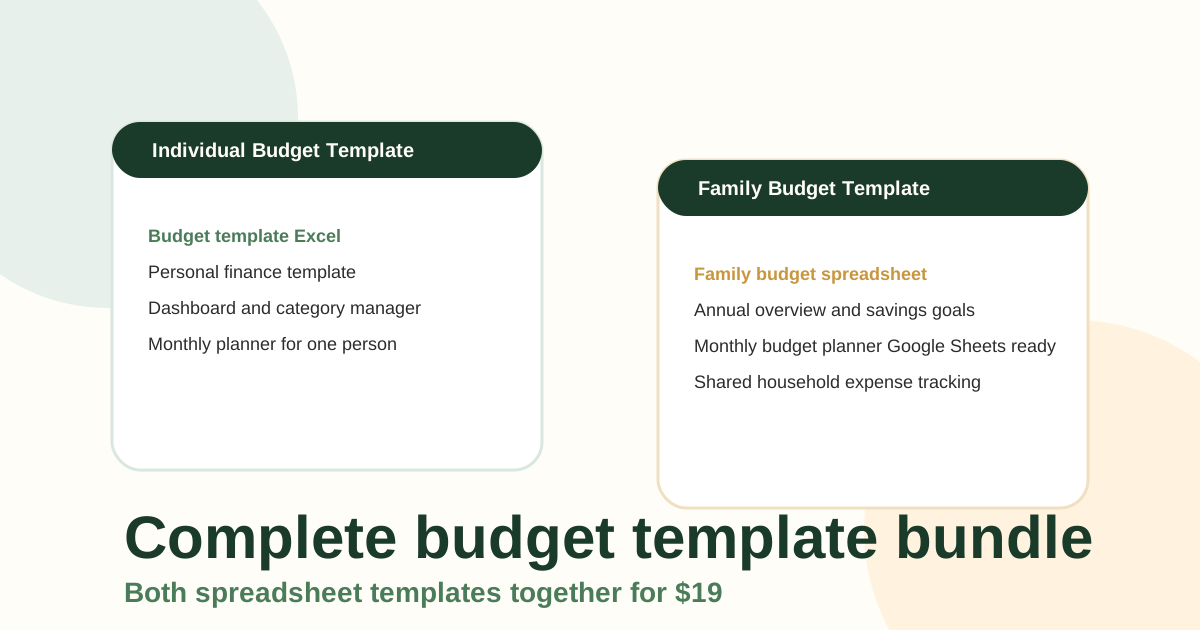
That is why a simple repeatable workbook is so useful. The NestBudget templates keep the same categories, formulas, and monthly rhythm in place so you can focus on behavior instead of spreadsheet maintenance. If you want the most flexible option, the Complete Budget Template Bundle covers both personal and household planning.
Signs your overspending problem is actually getting better
- You catch problem categories before the month is over.
- You hesitate before convenience purchases that used to be automatic.
- You have fewer surprise subscriptions or forgotten charges.
- You can explain where extra money went without guessing.
- You make small mid-month corrections instead of giving up for the whole month.
Those are stronger signs of progress than a single perfect month. When the process improves, the numbers usually follow.
The point of the budget is control, not restriction
A good budget helps you spend on purpose. It gives your money direction before other people, promotions, or habits assign that direction for you. If you are serious about stopping overspending, build a system you can review weekly, adjust honestly, and keep using for months instead of days.
That is exactly what NestBudget templates are built to support. Start with the Individual template if the focus is personal spending, or choose the bundle if you want both personal and household budgeting in one purchase.
Free Customization
Ready to take control of your budget?
Answer a few quick questions and get a personalized Excel template matched to your household, income type, and spending habits — no generic spreadsheet required.
One-time purchase · Instant download · Works in Excel & Google Sheets
Ready For The Faster Option?
Preview the Excel budget template, then buy the workbook that fits.
If you want one system for tracking planned spending, actual spending, and category-level corrections every week, the NestBudget bundle gives you both a personal and family-ready option in a single purchase.
Need to see the workbook first? Open the template preview.
Secure checkout. Digital product; see our refund policy.