Not sure which template is right for you? Customize yours in 2 minutes — we match it to your income, expenses, and goals.
A family budget planner works best when it gives the whole household one place to look. Without that shared view, budgeting usually turns into guesswork: one person pays the bills, the other checks the bank account later, and both feel like the numbers are always a little blurry.
Excel is still one of the most practical tools for fixing that. A family budget planner in Excel can be simple, visible, and flexible enough for real household life. You can separate multiple incomes, track shared bills, plan for irregular costs, and keep the whole system understandable without forcing your family into another app.
This step-by-step guide shows why families need a planner, how to build one in Excel, and what habits make it stick after the workbook is set up. If you want to compare your options first, start with the family template comparison guide.
Why families need a budget planner
A family budget planner is not just a spending tracker. It is a coordination tool. Families have more moving pieces than a solo budget: multiple income sources, shared bills, school costs, subscriptions, seasonal spending, and goals that affect more than one person.
Without a shared planner, those moving pieces stay scattered across bank balances, memory, and quick conversations. That usually leads to three problems: money surprises, unclear priorities, and tension around who is responsible for what.
- A planner gives both adults the same view of the month.
- It makes irregular costs visible before they become emergencies.
- It turns savings goals into planned line items instead of leftovers.
- It helps families review decisions together rather than reacting alone.
If that shared visibility is the goal, a spreadsheet-based planner usually works better than a rigid app setup. The logic stays in front of you.
Step 1: Create the worksheet structure in Excel
Start with one monthly worksheet and keep the first version simple. In column A, list categories. In column B, enter planned amounts. In column C, record actual amounts. In column D, calculate variance. That is enough to build a family budget planner that is usable from week one.
Organize the sheet in this order: income, fixed household bills, flexible spending, savings, debt payments, and monthly summary. If you want a longer view, add a second tab for yearly totals after the monthly sheet is working.
| Column | Purpose |
|---|---|
| A | Category or bill name |
| B | Planned amount |
| C | Actual amount |
| D | Variance, such as =B2-C2 |
Step 2: Separate income and shared household expenses
List each income source on its own line. If one adult has stable pay and the other has variable work, keep those income types separate so the budget does not quietly depend on optimistic assumptions.
Next, build the core household expense sections. Most families need categories for housing, utilities, groceries, transportation, childcare, insurance, debt, and school or activity costs. Keep personal spending on its own lines too. That prevents shared review sessions from becoming vague arguments about where the money went.
Step 3: Add savings, sinking funds, and annual planning
The family budget planner becomes much more useful once you plan beyond the obvious monthly bills. Add lines for emergency savings, holiday spending, repairs, travel, birthdays, and any other irregular cost that predictably shows up during the year.
This is where many family budgets either become realistic or fall apart. If irregular expenses are left outside the planner, they will keep feeling like random setbacks even when they were completely predictable.
A simple yearly tab can help here. Create one row per month with total income, total expenses, total savings, and final balance. That makes the bigger household pattern easier to spot.
Step 4: Build formulas and a weekly review routine
Once the categories are in place, add totals for income, expenses, and savings. Then create one final balance line that shows whether the month is fully funded. This is the number the family should care about most.
After the formulas are working, make the planner part of a weekly routine. Ten to fifteen minutes is usually enough. Update the actual column, scan the variance lines, and decide whether any category needs correction before the month runs away from you.
If overspending is the bigger issue, pair this setup with the overspending guide so the planner and the household habits improve together.
Tips for sticking to a family budget planner
- Keep categories broad enough that updating the file stays easy.
- Review the planner on the same day every week.
- Budget from conservative income, not best-case income.
- Plan irregular costs before the month begins.
- Use one workbook continuously instead of rebuilding from scratch each month.
- Make the review a short household check-in, not a long postmortem.
Consistency matters more than complexity. A simple planner you both open every week will outperform a sophisticated workbook that only gets attention when something goes wrong.
When to use the NestBudget Family Template instead of building from scratch
Building your own family budget planner in Excel is useful when you want to understand the structure. But if your family mainly needs a working planner now, the DIY route can become expensive in time very quickly.
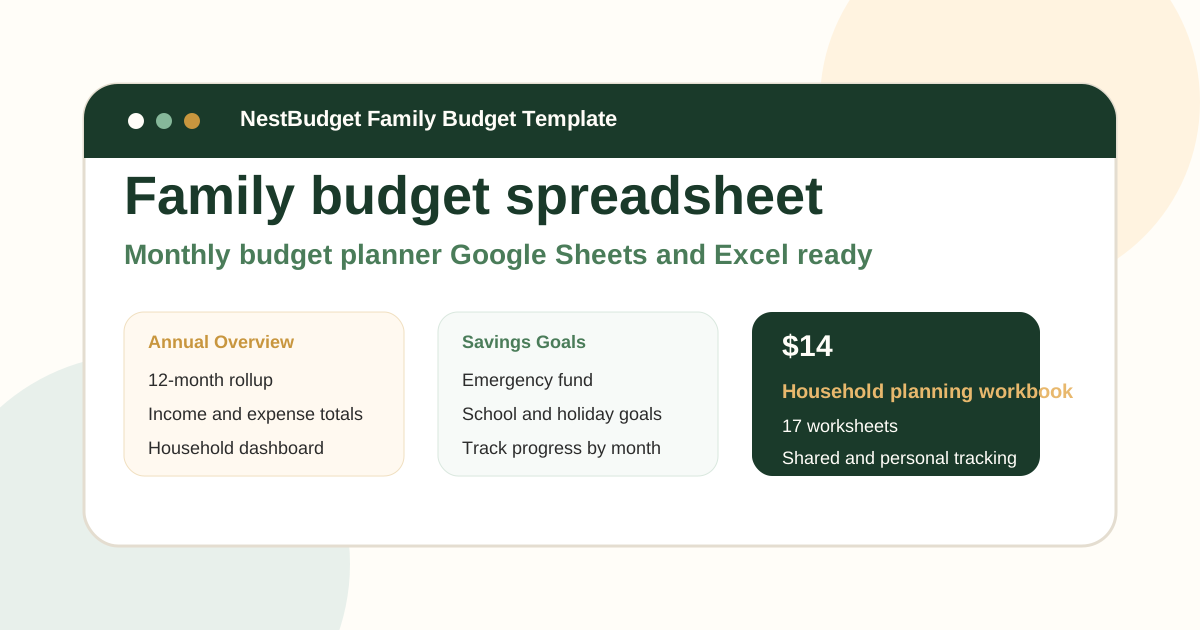
The NestBudget Family Template is built for this exact use case. It gives you monthly tabs, household categories, multiple income support, and annual visibility without forcing you through the blank-sheet stage. If you want to inspect the file first, use the family preview. If you are still unsure whether the household or bundle option fits better, take the quiz.
FAQ: family budget planner
What should a family budget planner include?
It should include separate income lines, shared bills, flexible spending categories, savings goals, irregular expense planning, and a monthly summary both adults can read quickly.
How often should a family update its budget planner?
Weekly is usually best, with a deeper monthly reset. That cadence keeps the planner useful while there is still time to adjust.
Can a family budget planner in Excel also work in Google Sheets?
Yes. A standard workbook structure usually transfers well, which means your family can use the spreadsheet tool it already prefers.
The takeaway
A family budget planner in Excel works when it stays visible, shared, and easy to update. Build a clear monthly sheet, add savings and irregular costs, and review it every week. That is the core system most households actually need.
If you want that structure without building the workbook from zero, start with the NestBudget Family Template.
Free Customization
Ready to take control of your budget?
Answer a few quick questions and get a personalized Excel template matched to your household, income type, and spending habits — no generic spreadsheet required.
One-time purchase · Instant download · Works in Excel & Google Sheets
Ready For The Faster Option?
Preview the Excel budget template, then buy the workbook that fits.
If your family wants a shared Excel planner with multiple income support, household categories, and annual visibility already built in, the NestBudget Family Budget Template is the fastest place to start.
Need to see the workbook first? Open the template preview.
Secure checkout. Digital product; see our refund policy.