Not sure which template is right for you? Customize yours in 2 minutes — we match it to your income, expenses, and goals.
A family budget template in Excel should do more than total bills. It needs to handle multiple income earners, show shared expenses clearly, and give the household one planning view everyone can understand.
That is why family budgeting breaks when people start from a personal budget sheet and simply add more rows. Households need a structure that separates shared costs from personal spending, keeps recurring bills easy to review, and shows how the year is trending instead of only what happened this week. If you want a ready-made workbook instead of building that logic yourself, NestBudget already sells a family template designed for that job.
This guide covers the exact setup families need in Excel, including multiple incomes, shared expenses, annual visibility, and a step-by-step workflow you can copy. If your household is still deciding between spreadsheet formats, compare the options in the best Excel budget templates guide.
Why does a family budget template in Excel need multiple income earner support?
Family budgets need multiple income earner support because households rarely run on one predictable paycheck. Even when one income covers most bills, the second income often changes savings, debt payoff speed, or how discretionary spending is handled.
Excel should make those income streams visible instead of blending them into one number. When each earner has separate lines or sections, the household can see what is stable, what is variable, and what would happen if one income changes for a month.
- Track each earner separately so pay changes are easy to spot.
- Separate recurring income from side income, overtime, or seasonal pay.
- Keep a total household income line so planning decisions still stay simple.
- Use notes or labels if one person covers specific bills or savings goals.
The Family Budget Template is built around this exact need, which is why it works better for households than a basic single-income spreadsheet.
How do you track shared expenses without confusion?
The cleanest way to track shared expenses is to separate them from personal spending from the start. When all categories live in one mixed list, families end up debating what counts as a household cost instead of reviewing the budget itself.
Use three groups inside the workbook:
- Shared household expenses such as rent, mortgage, groceries, utilities, childcare, and insurance.
- Personal expenses such as individual spending money, hobbies, or separate subscriptions.
- Savings and irregular expenses such as emergency funds, travel, school costs, and repairs.
This structure makes review meetings shorter because each number already has context. It also helps you see whether the household is overspending together or whether the drift is coming from one category or one person. If you want a lighter one-person version of this system, read the monthly budget spreadsheet Excel guide.
Why is an annual overview important for family budgeting?
An annual overview matters because family spending is uneven by nature. A single month can look fine while the full year is drifting because of school expenses, holidays, travel, repairs, or seasonal utility costs.
Families need both views: the current month for day-to-day decisions and the year-to-date pattern for better planning. That bigger view is what prevents surprise expenses from feeling like random emergencies every quarter.
- Annual rollups show whether savings goals are progressing or stalling.
- They make irregular expenses easier to plan instead of react to.
- They reveal whether one category keeps running over budget across several months.
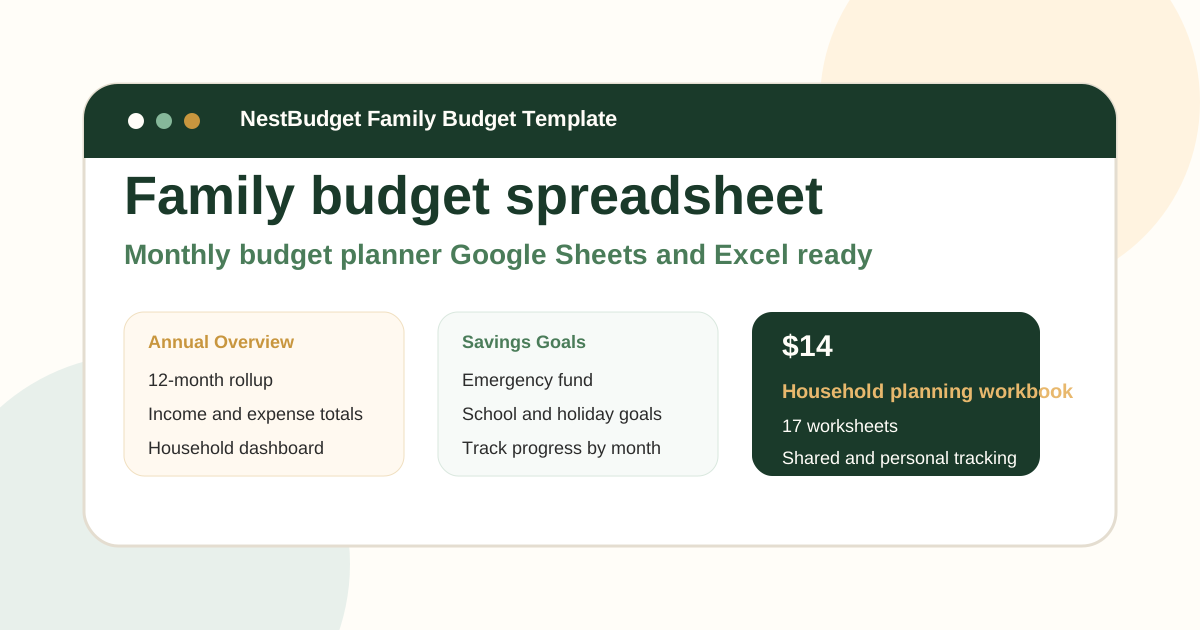
That is one reason NestBudget includes an annual overview in the Family workbook instead of leaving each month isolated.
How to build a family budget in Excel step by step
The fastest way to build a family budget in Excel is to start with a repeatable structure and fill in real numbers, not ideas. If you want to skip the workbook design phase, begin with the Family Template at step 1 and customize from there.
- Start with the workbook structure. Choose monthly tabs plus an annual summary, or open the ready-made Family Template if you do not want to build those sheets yourself.
- Add each income earner separately. Create one row group per earner, then total them into one household income line so the top line is always clear.
- Create shared, personal, and savings sections. This keeps groceries, childcare, debt, and utilities separate from personal spending and long-term goals.
- Enter planned amounts before the month starts. Use realistic numbers based on recent spending, not ideal behavior.
- Track actual spending every week. Weekly reviews catch drift early and keep the spreadsheet useful.
- Review the annual view once a month. Look for categories that are repeatedly off-target and adjust next month before the problem compounds.
If a blank-sheet build still feels right, keep the structure simple. If it already sounds like too much maintenance, that is the signal to use a finished workbook instead of forcing a DIY setup.
What mistakes make family budgets hard to maintain?
Most family budget failures come from maintenance problems, not bad intentions. When the workbook is confusing, the household stops checking it together.
- Combining every expense into one long list without separating shared and personal spending.
- Using one monthly sheet with no annual rollup.
- Budgeting with best-case income numbers instead of likely income.
- Ignoring irregular costs like school events, car repairs, gifts, and seasonal spending.
- Updating the file only after the month is over.
A workable family budget should reduce household friction, not create another chore. That is exactly why the NestBudget homepage positions the Family workbook as a household planning tool, not just a generic spreadsheet.
FAQ: family budget template excel
How many income earners can I track?
In Excel, you can track as many income earners as your worksheet allows by adding lines or sections for each person. In practice, most households only need a clear multi-earner structure, which is why the Family Budget Template is designed for multiple earners rather than one paycheck.
Is there a free family budget Excel template?
Yes. You can build one from a blank worksheet by creating sections for income, shared bills, personal spending, and savings. The tradeoff is time: you will also need to create formulas, categories, and an annual rollup yourself.
What's the difference between a personal and family budget?
A personal budget is built around one income and one spending plan. A family budget needs room for shared expenses, multiple income earners, and a wider planning view. If you only need a solo system, start with the beginner monthly budget guide.
The practical takeaway
A strong family budget template in Excel separates income earners clearly, keeps shared expenses visible, and includes an annual view so the household can plan beyond this month.
If you want to skip the manual setup and move straight into budgeting, NestBudget is the fastest route. Preview the workbook, customize the categories, and start with a structure your whole household can keep using.
Free Customization
Ready to take control of your budget?
Answer a few quick questions and get a personalized Excel template matched to your household, income type, and spending habits — no generic spreadsheet required.
One-time purchase · Instant download · Works in Excel & Google Sheets
Ready For The Faster Option?
Preview the Excel budget template, then buy the workbook that fits.
If you want the workbook already set up with monthly tabs, shared and personal expense tracking, and an annual overview, the NestBudget Family Budget Template is the faster way to get your household budgeting live.
Need to see the workbook first? Open the template preview.
Secure checkout. Digital product; see our refund policy.