Not sure which template is right for you? Customize yours in 2 minutes — we match it to your income, expenses, and goals.
The best excel budget template for most people is a customizable workbook that already includes formulas, sensible categories, and room to adapt the sheet to real life. A blank spreadsheet is only better if you genuinely want to build your own system from scratch.
That is why shoppers usually end up choosing between three formats: blank templates, pre-built templates, and customizable templates. The right choice depends on whether you value speed, flexibility, or total control. For people who want the fastest useful setup without locking themselves into generic categories, NestBudget is the strongest customizable option in this group.
This guide compares the best Excel budget template types for 2026, explains what actually makes a budget spreadsheet useful, and shows when it makes sense to stay free versus paying for a workbook that saves you setup time. If you already know you need a family-specific layout, read the family budget template Excel guide next.
What is the best excel budget template?
The best excel budget template is the one that helps you review income, expenses, and variance quickly without forcing you to rebuild the file every month. In practice, that usually means a customizable template rather than a blank one.
A good workbook needs to answer a few questions the moment you open it: how much money is coming in, how much is already committed, where variable spending is drifting, and what needs to change before the month ends. The preview page shows why a customizable workbook stands out here: it keeps Excel familiar while removing the repetitive setup work that causes many people to abandon homemade sheets after two or three weeks.
What makes a good budget template?
A good budget template should be clear before it is clever. If you cannot understand the layout in a few minutes, you will not keep using it when life gets busy.
The strongest budget templates usually include these features:
- Planned, actual, and variance columns so you can compare intention against reality.
- Editable categories that match your real bills, debt payments, and savings goals.
- Separate treatment for fixed expenses and flexible spending.
- Automatic totals or dashboards that reduce manual math.
- Enough structure to repeat the process next month without rebuilding the workbook.
If you are a beginner, simplicity matters even more than detail. A smaller workbook you update weekly beats a complicated template you only open when the month is already over.
Blank vs. pre-built vs. customizable budget templates
These three template types solve different problems. Blank templates maximize control, pre-built templates maximize speed, and customizable templates sit in the middle by giving you a finished system you can still adapt.
| Template Type | Customizable? | Price | Best For |
|---|---|---|---|
| Blank spreadsheet | Yes, fully manual | Free | People who enjoy building formulas and layouts themselves |
| Pre-built basic template | Sometimes limited | Free to low-cost | Quick monthly budgeting with minimal setup |
| Customizable workbook | Yes | Paid | Budgeters who want speed, structure, and flexibility together |
Blank templates
Blank Excel budget sheets are useful if you want total control and you already know how to structure categories, formulas, and review logic. They are not ideal if you are trying to budget this week rather than become your own spreadsheet developer.
Pre-built templates
Pre-built templates are faster to start, but they often come with rigid labels or a layout that only works for one kind of user. This is where free templates can feel helpful on day one and frustrating by month three.
Customizable templates
Customizable templates are usually the best long-term option because they give you finished formulas, summaries, and structure without freezing the budget into someone else's life. That balance is why many buyers who compare free and paid options eventually land on the customizable route.
Why is NestBudget the top customizable option?
NestBudget is the top recommendation in this category because it removes setup friction without removing control. You get a working Excel budgeting system immediately, but you can still change categories, edit spending labels, and choose the workbook that matches your situation.
That matters because customization is the main reason people stay in Excel instead of moving to a rigid app. With the Bundle, the spreadsheet is already designed to work in Excel and Google Sheets, so you spend your time budgeting instead of formatting cells.
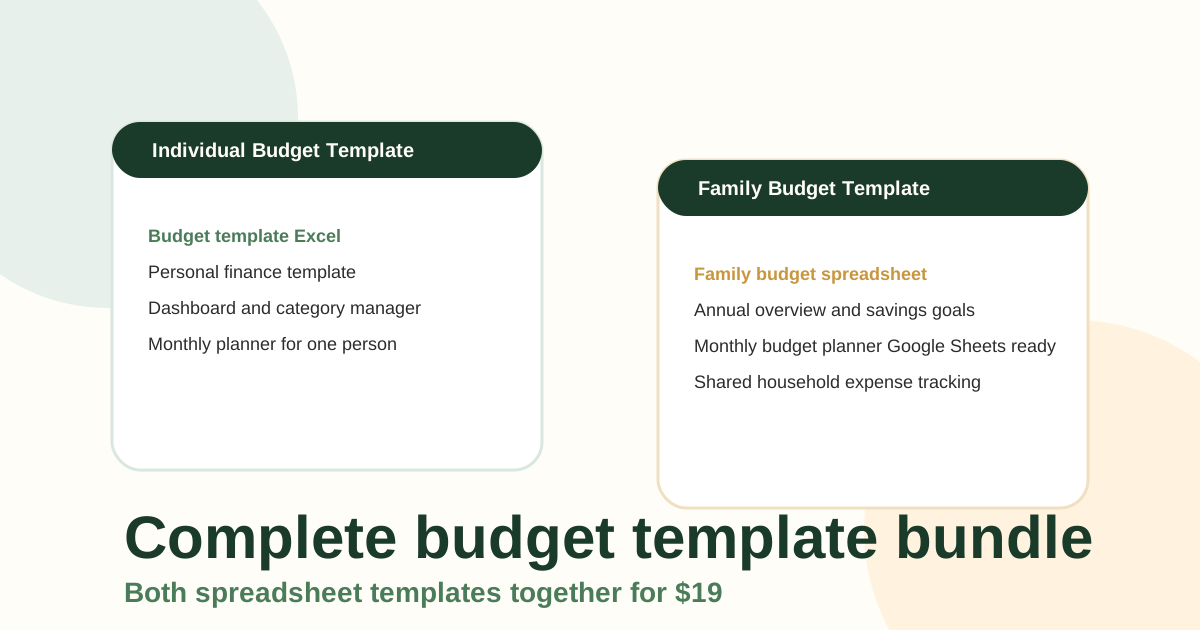
- The Individual template is the best fit if you want a simple monthly budget with category control.
- The Family template is better if you need multiple income earners, shared expenses, and annual rollups.
- The Bundle is the strongest value if you want both views available from one purchase.
- The preview page lets you inspect workbook layouts before checkout.
If you are unsure which version fits, compare the layouts on the preview preview page first, then choose the workbook that matches your planning style.
How do I choose a budget template?
Choose a budget template by starting with the job you need it to do, not the number of tabs it offers. The best template is the one that matches your budgeting complexity and the amount of setup time you are willing to tolerate.
- Choose a blank template if you want full spreadsheet control and do not mind building formulas.
- Choose a simple pre-built template if you only need one monthly view and very basic categories.
- Choose a customizable workbook if you want a faster start without losing the ability to edit the sheet.
- Choose a family-focused workbook if more than one person earns income or pays shared bills.
- Choose a workbook that also works in Google Sheets if you switch between devices or tools.
For a straightforward beginner setup, read the monthly budget spreadsheet Excel guide. For a household setup, jump to the family budget guide.
When should you use a free template instead of a paid one?
A free template is enough when you are still learning the budgeting habit and only need a small monthly framework. A paid template becomes worth it when repeated setup work is the reason you keep stopping.
Stay free if all you need is a starter layout with categories, totals, and a place to track spending.
Move to paid when you want any of these upgrades:
- Category editing without rewriting formulas.
- Separate workbook options for personal and family budgeting.
- Annual overview or savings-goal tracking.
- A cleaner workbook you can keep using month after month.
If you want a low-friction place to begin, the free starter option on the NestBudget homepage makes it easier to test your routine before you buy a more complete workbook.
FAQ about the best excel budget template
What is the best free excel budget template?
The best free Excel budget template is usually a simple monthly layout with planned, actual, and variance columns because it stays easy to maintain. If you want a cleaner starting point before buying a premium workbook, use a basic free sheet or start from the free starter option on the NestBudget homepage.
How do I choose a budget template?
Choose a budget template based on your setup tolerance, the number of categories you need, and whether you need personal or household planning. If you want to learn the basics first, this guide pairs well with the free-template Excel walkthrough.
Does NestBudget work with Google Sheets?
Yes. NestBudget templates are compatible with Microsoft Excel and Google Sheets, so you can download the workbook once and keep using the spreadsheet tool you already prefer. The preview page shows the workbook structure before you buy.
The short answer
If you want the best excel budget template for long-term use, choose a customizable workbook over a blank spreadsheet. It gives you structure now and flexibility later.
For that reason, the NestBudget preview is the strongest next click here. Open it, compare the workbooks, and choose the version that lets you stop setting up spreadsheets and start using them.
Free Customization
Ready to take control of your budget?
Answer a few quick questions and get a personalized Excel template matched to your household, income type, and spending habits — no generic spreadsheet required.
One-time purchase · Instant download · Works in Excel & Google Sheets
Ready For The Faster Option?
Preview the Excel budget template, then buy the workbook that fits.
If you want to compare the Individual and Family workbooks before buying, open the NestBudget preview page and choose the template type that matches how you budget.
Need to see the workbook first? Open the template preview.
Secure checkout. Digital product; see our refund policy.